- A+
微信公众号发文有很多限制,特别是账号主体为个人的订阅号,没认证没法通过api接口直接编辑自动发送,那么如何才能实现个人微信公众号自动发布文章,群发给所有关注的粉丝呢?主要思路时先通过api接口发布文章到草稿,然后通过手动模拟群发,主要步骤如下:
一,微信公众号设置与开发的配置
浏览器登录微信公众号后在设置与开发菜单下的基本配置里面获取到开发者ID(AppID),开发者密码(AppSecret)以及设置IP白名单。虽然个人微信公众号不能通过api接口自动群发文章但是可以将文章自动发布为草稿后续再发送,(当然也可以直接发送但是不会被推荐通知粉丝,只是被调用查看,这不是想要的)。特别说明ip白名单一定要设置否则发送不被允许,ip白名单指的是公网ip地址。
二,编辑自动发布草稿模块
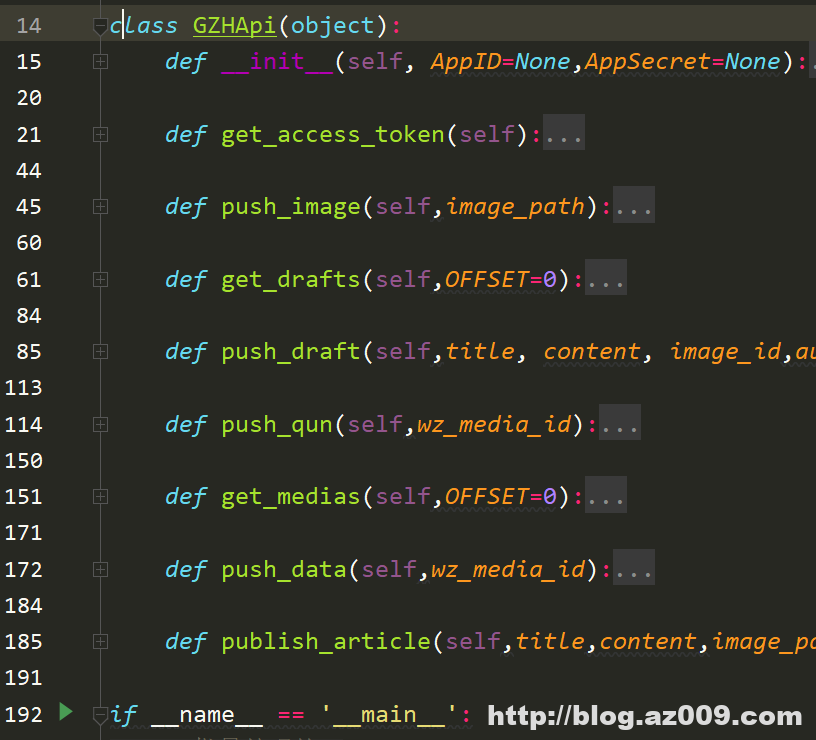
这里使用python主要实现了个人微信公众号的获取access_token 、发布图片、发布草稿、获取媒体等接口,编写好标题、内容、图片等模板,调用接口直接发送到草稿。至于说具体什么内容是否调用chatgpt来进行润色优化伪原创等等就不细说了,这里要做的是的如何实现自动化发布。
展开
- class?GZHApi(object):
- ????def?__init__(self,?AppID=None,AppSecret=None):
- ????????self.AppID?=?AppID?if?AppID?else?APPID
- ????????self.AppSecret?=??AppSecret?if?AppSecret?else?APPSECRET
- ????????self.access_token_path?=?os.path.join(os.path.dirname(__file__),f'{self.AppID}.token')
- ????????self.access_token?=?self.get_access_token()
- ????def?get_access_token(self):
- ????????if?os.path.isfile(self.access_token_path):
- ????????????with?open(self.access_token_path,'r')?as?f:
- ????????????????data?=?json.load(f)?or?dict()
- ????????????????expires_time?=?data.get('expires_time',0)
- ????????????????access_token?=?data.get('access_token','')
- ????????????if?(time.time()?-?expires_time?>=?7200)?or?not?access_token:
- ????????????????os.remove(self.access_token_path)
- ????????????????return?self.get_access_token()
- ????????????else:
- ????????????????return?access_token
- ????????access_token?=?''
- ????????try:
- ????????????url?=?'https://api.weixin.qq.com/cgi-bin/token?grant_type=client_credential&appid={}&secret={}'.format(
- ????????????????self.AppID,?self.AppSecret)
- ????????????response?=?requests.get(url)
- ????????????res_html?=?response.json()
- ????????????access_token?=?res_html['access_token']
- ????????????with?open(self.access_token_path,?'w')?as?f:
- ????????????????json.dump({'access_token':access_token,'expires_time':time.time()},f)
- ????????except?Exception?as?e:
- ????????????print(e)
- ????????return?access_token
- ????def?push_image(self,image_path):
- ????????media_type?=?"image"
- ????????upload_url?=?f"https://api.weixin.qq.com/cgi-bin/material/add_material?access_token={self.access_token}&type={media_type}"
- ????????with?open(image_path,?'rb')?as?file:
- ????????????response?=?requests.post(upload_url,?files={'media':?file})
- ????????#?解析响应
- ????????result?=?response.json()
- ????????#?print(result)
- ????????if?'media_id'?in?result:
- ????????????media_id?=?result['media_id']
- ????????????img_url?=?result['url']
- ????????????print(f"上传成功,media_id:?{media_id},?img_url:?{img_url}")
- ????????????return?media_id
- ????????else:
- ????????????print(f"上传失败,错误信息:?{result['errmsg']}")
- ????def?get_drafts(self,OFFSET=0):
- ????????"""
- ????????获取草稿列表
- ????????:param?OFFSET:
- ????????:return:?{
- ????"total_count":TOTAL_COUNT,
- ????"item_count":ITEM_COUNT,
- ????"item":[
- ????????"""
- ????????url?=?'https://api.weixin.qq.com/cgi-bin/draft/batchget?access_token={}'.format(self.access_token)
- ????????#?url?=?'https://mp.weixin.qq.com/cgi-bin/appmsg?begin=0&count=10&type=77&action=list_card&access_token={}&lang=zh_CN'.format(self.access_token)
- ????????data?=?{
- ????????????????"offset":OFFSET,
- ????????????????"count":20,
- ????????????????"no_content":0#1?表示不返回?content?字段,0?表示正常返回,默认为?0
- ????????????}
- ????????headers?=?{'Content-Type':?'application/json'}
- ????????response?=?requests.post(url,?data=json.dumps(data,?ensure_ascii=False).encode('utf-8'),?headers=headers)
- ????????rt_data?=?response.json()
- ????????item?=?rt_data['item']
- ????????print(item)
- ????????return?item
- ????def?push_draft(self,title,?content,?image_id,author=''):
- ????????"""
- ????????发布草稿
- ????????:param?title:
- ????????:param?content:
- ????????:param?image_id:
- ????????:return:
- ????????"""
- ????????url?=?'https://api.weixin.qq.com/cgi-bin/draft/add?access_token={}'.format(self.access_token)
- ????????data?=?{
- ????????????"articles":?[
- ????????????????{
- ????????????????????"title":?title,
- ????????????????????"content":?content,
- ????????????????????"thumb_media_id":?image_id,
- ????????????????????"author":?author,
- ????????????????????"show_cover_pic":?1,
- ????????????????????"need_open_comment":?1,
- ????????????????????"only_fans_can_comment":?1
- ????????????????}
- ????????????]
- ????????}
- ????????headers?=?{'Content-Type':?'application/json'}
- ????????response?=?requests.post(url,?data=json.dumps(data,?ensure_ascii=False).encode('utf-8'),?headers=headers)
- ????????rt_data?=?response.json()
- ????????print(rt_data)
- ????????tw_media_id?=?rt_data.get('media_id','')
- ????????return?tw_media_id
- ????def?push_qun(self,wz_media_id):
- ????????"""
- ????????群发文本消息,需要认证号
- ????????https://developers.weixin.qq.com/doc/offiaccount/Message_Management/Batch_Sends_and_Originality_Checks.html#2
- ????????:param?wz_media_id:
- ????????:return:
- ????????"""
- ????????url?=?'https://api.weixin.qq.com/cgi-bin/message/mass/sendall?access_token={}'.format(self.access_token)
- ????????#?data_text?=?{
- ????????#????????????"filter":{
- ????????#???????????????"is_to_all":True,
- ????????#???????????????#?"tag_id":2
- ????????#????????????},
- ????????#????????????"text":{
- ????????#???????????????"content":"CONTENT"
- ????????#????????????},
- ????????#?????????????"msgtype":"text",
- ????????#?????????????#?"thumb_media_id":"dRHPM3p6Z4GjH_z03ZjUtm28vb0PmNpF1D7DAiH8fSaqUK41p95Ii90msY5INydR",
- ????????#?????????}
- ????????data_news?=?{
- ???????????????????"filter":{
- ??????????????????????"is_to_all":True,
- ??????????????????????#?"tag_id":2
- ???????????????????},
- ???????????????????"mpnews":{
- ??????????????????????"media_id":wz_media_id
- ??????????????????????#?"media_id":"dRHPM3p6Z4GjH_z03ZjUtiZdiWCPi8VMJZ5zFIBuPhikUbeK_b4ee1pemRuwOa1M"
- ???????????????????},
- ????????????????????"msgtype":"mpnews",
- ????????????????????"send_ignore_reprint":0
- ????????????????}
- ????????response?=?requests.post(url,?json=data_news)
- ????????fb_data?=?response.json()
- ????????print(fb_data)
- ????????msg?=?fb_data['errmsg']
- ????????return?msg
- ????def?get_medias(self,OFFSET=0):
- ????????"""
- ????????获取图片列表
- ????????:param?OFFSET:
- ????????:return:?{'item':?[{'media_id':?'dRHPM3p6Z4GjH_z03ZjUtm1INFasZ3klvBr80q52hq81fiCdFv8vQEPSrWAu2H84',?'name':
- ????????"""
- ????????url?=?'https://api.weixin.qq.com/cgi-bin/material/batchget_material?access_token={}'.format(self.access_token)
- ????????#?url?=?'https://mp.weixin.qq.com/cgi-bin/appmsg?begin=0&count=10&type=77&action=list_card&access_token={}&lang=zh_CN'.format(self.access_token)
- ????????data?=?{
- ????????????????"offset":OFFSET,
- ????????????????"count":20,
- ????????????????"type":'image',#素材的类型,图片(image)、视频(video)、语音?(voice)、图文(news)
- ????????????????"group_id":'3'#分类id?特殊的
- ????????????}
- ????????headers?=?{'Content-Type':?'application/json'}
- ????????response?=?requests.post(url,?data=json.dumps(data,?ensure_ascii=False).encode('utf-8'),?headers=headers)
- ????????rt_data?=?response.json()
- ????????item?=?rt_data['item']
- ????????print(item)
- ????????return?item
三,如何将草稿自动群发给粉丝
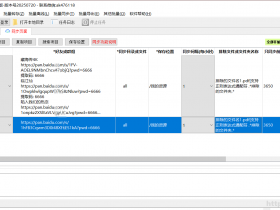
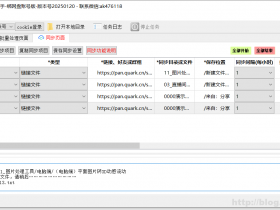
自动发布的草稿需要模拟手动群发给粉丝,这里需要使用到浏览器自动化方法。发布的草稿即时通知到模拟操作接口,打开对应的文章,点击发表》弹框确认发表》确认群发等等一些列确认,这里有一点需要特别注意:需要在设置与开发》安全中心》风险操作保护的详情中关闭群发消息保护,(默认是开启的每次群发都需要管理员微信扫码确认),关闭后才能自动群发。以下是在批量处理软件的基础上做的一个测试软件《微信公众号自动发文助手》
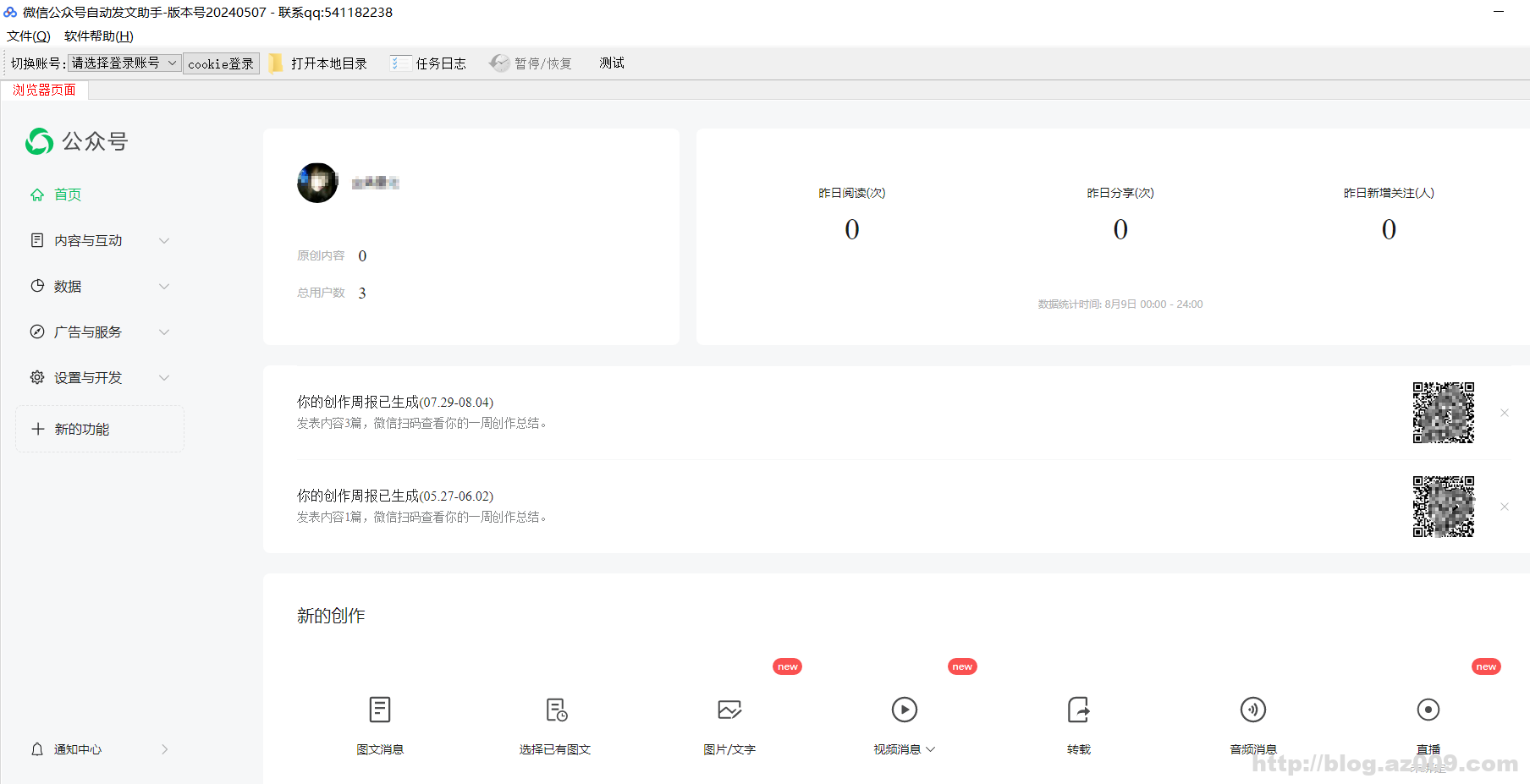
总的来说个人微信公众号未认证想要做到全自动群发文章还是比较复杂的,特别是模拟浏览器自动化操作,需要注意的事项也比较多如:等待弹框确认确认再确认等等,本想通过抓包接口直接发布,但是一堆莫名其妙的参数,相较而言模拟浏览器自动化操作还更简单了。以上是微信公众号自动发文的方法,可能相关的点:公众号流量主自动化爆文机器人,自动写作自动发布;微信公众号智能推送定时发送怎么实现;公众号自动生成文章;如何将编辑好的公众号图文定时群发。
8月16日更新,最近使用上述方法先通过api直接发布草稿,然后通过浏览器自动化模拟手动发送运行了一段时间,但是出现了一个莫名奇妙的问题,草稿发送了,但是模拟发布有时能点击提交有时却发布不成功。这不稳定的状态就很让人无语了,可能是模拟点击得太快了,但是由于个人的文章需要卡着时间点即时发送出去,于是想着还是通过抓包来实现个人公众号文章自动发布了,主要方法如下:
首先,通过抓包实现post提交数据登录,获取到登录二维码图片,然后上传到手机,扫码确认。将成功返回的cookie信息保存着,下次再运行时直接先通过本地cookie登录。cookie的有限期还不知道有几天,看到时的运行情况。通过定时每天早上九点检测一次,如果失效就重新获取二维码登录。
其次,发布文章的接口通过抓包可以获取,虽然有些加密参数,但是直接忽略跳过也能发布成功。
最后,将api直接发布的草稿与抓包实现的发布文章接口对接,同时还需要抓包获取草稿列表,这个相对简单,把最近的草稿发送出去即可。
通过抓包直接post提交文章数据,来的更稳定快捷,虽然上述方法实现了自动化发布文章,但是公众号内容是个关键,没吸引的东西,没关注也是白搭。继续搞内容………………
9月16日更新,经过一段时间的运行,发现微信公众号cookie的有效期只有3天左右,无论是通过不间断的访问首页还是通过浏览器刷新等方式都不能让cookie长期存活,只能等掉线后重新扫码登录,感觉很是无语。本想做个一劳永逸的自动化处理,结果还是要经常扫码登录,看来还得想其他办法了。
- 我的微信
- 这是我的微信扫一扫
-

- 我的微信公众号
- 我的微信公众号扫一扫
-